A warehouse system that knows
how warehouses work.
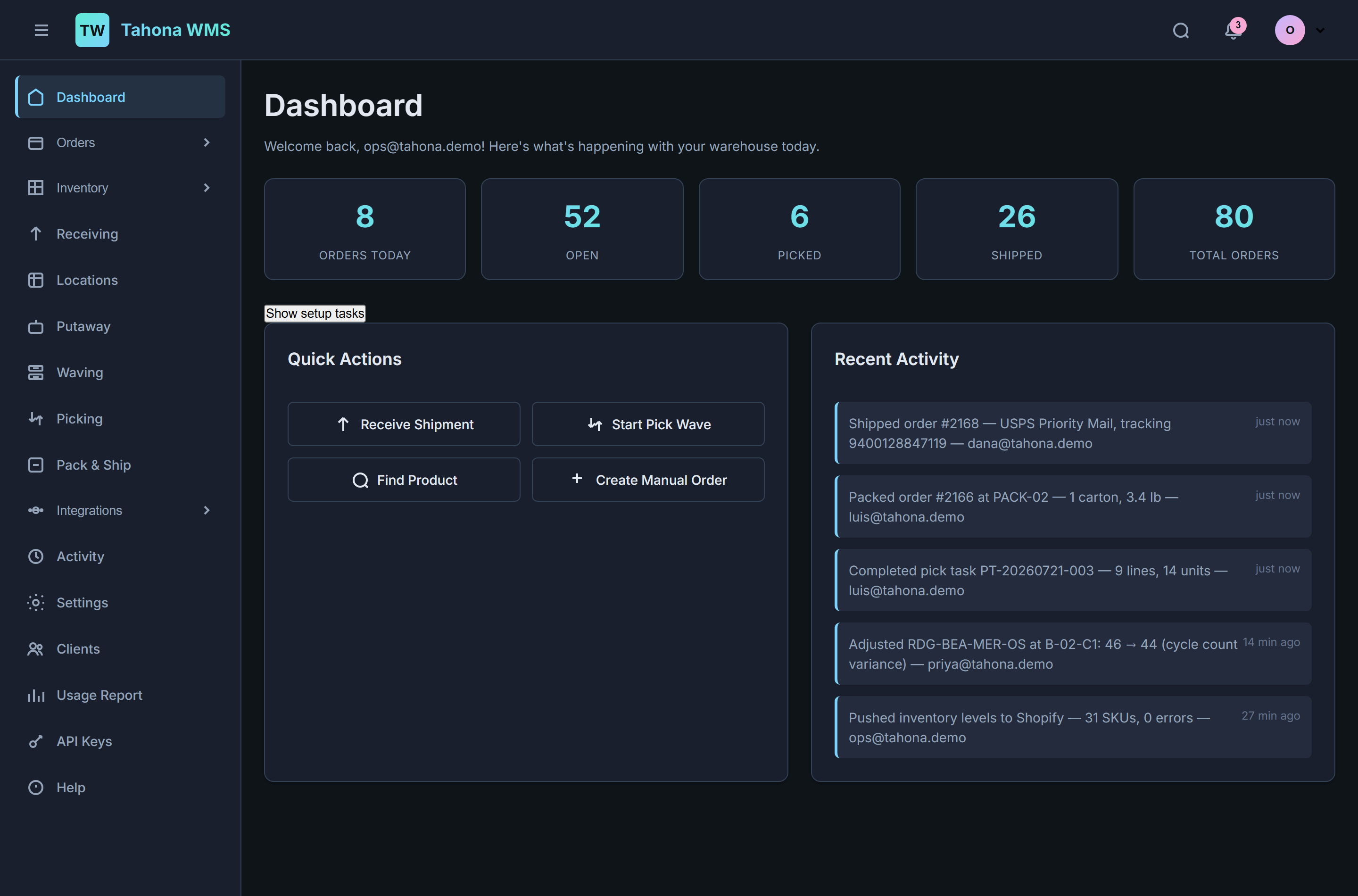
Receiving, putaway, wave picking, pack and ship — the depth that used to require an enterprise contract, sized for one building, one team, and orders measured in hundreds. Run it for your own brand, or run it as a 3PL for a dozen client brands. Same system, either way.
Two operations, one system.
Most warehouse software makes you pick a side. Merchant tools assume every order is yours. 3PL platforms assume you never ship your own. Tahona was built for both from the start, because the same building often does both — and because brands that outgrow their own floor tend to become someone else’s client, not someone else’s migration project.
You ship your own orders.
A brand fulfilling from its own warehouse. Orders land from Shopify and Amazon, get allocated against real stock, group into waves, get picked, packed, and labelled — and the tracking number goes back to the channel without anyone copying it anywhere.
You ship for other brands.
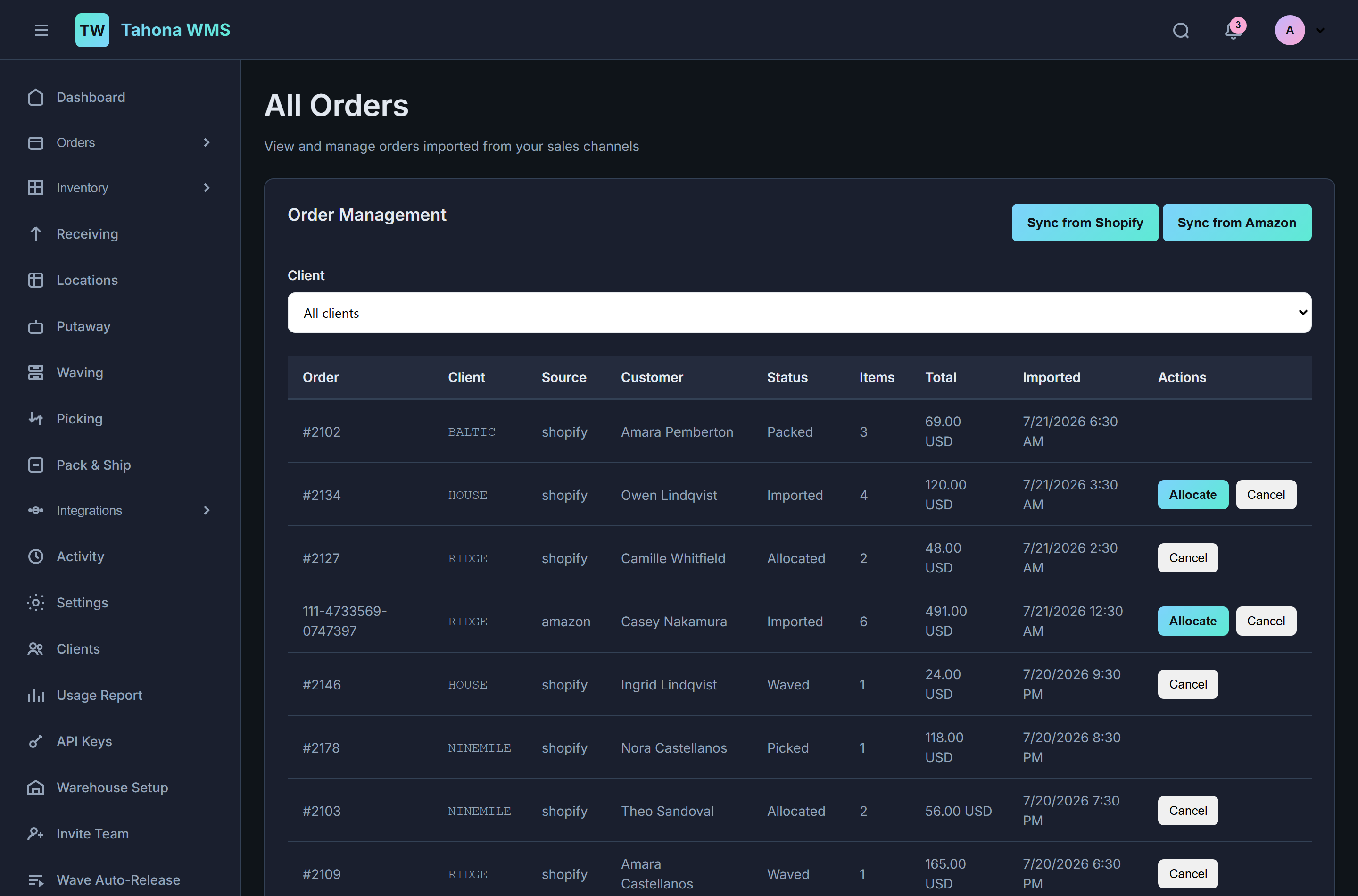
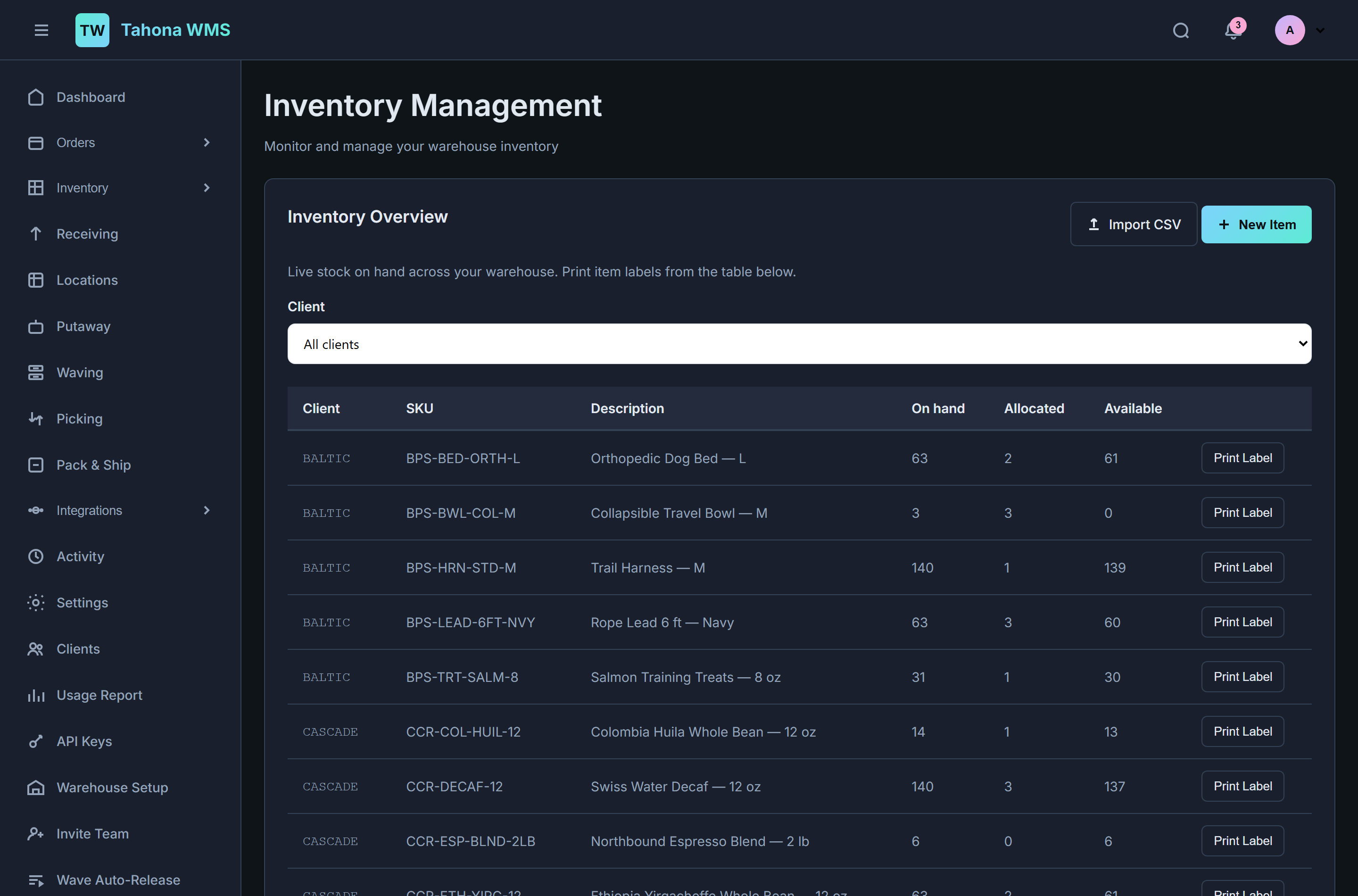
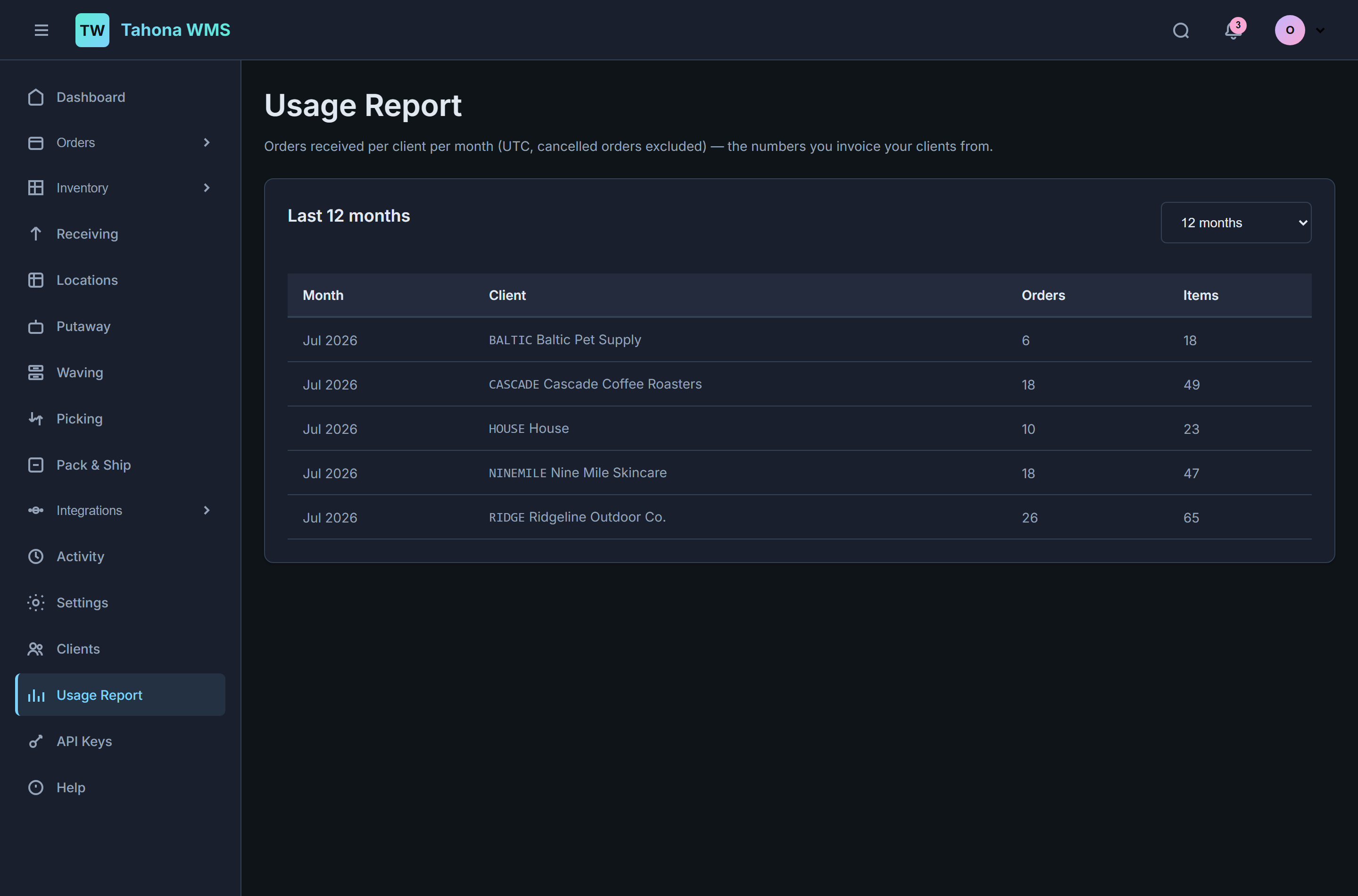
A small 3PL fulfilling for client brands. Each client owns its own inventory, orders, receipts, and sales channels. Stock is segregated per warehouse, client, and SKU — and a per-client usage report gives you the numbers you invoice from.
Six decisions that aren’t the default.
Every WMS claims the same feature list. These are the choices underneath it — the ones that are hard to retrofit and easy to check.
A database per customer.
Your data lives in its own database — not in a shared table behind a tenant_id column. Real isolation, not a WHERE clause. It also means your data can be handed to you, or moved, as a unit.
Merchant and 3PL from one product.
One brand shipping its own orders, or a 3PL fulfilling for many client brands, out of the same install. Turning on client mode is a setting, not a different product and not a migration.
Enterprise depth at small-operation scale.
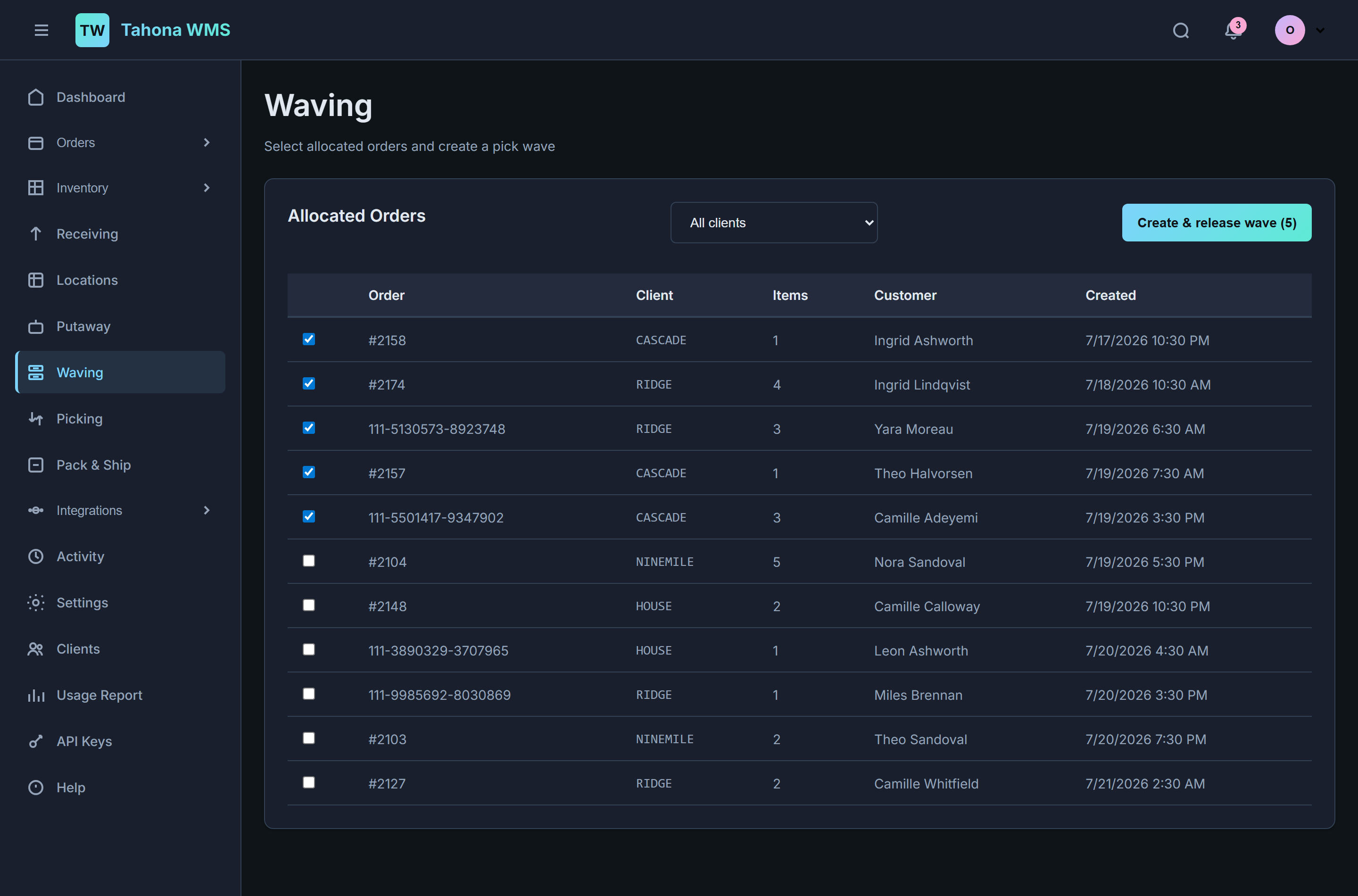
Wave picking, putaway with suggested locations, zones and bin locations, cycle counts, stock transfers. Real warehouse mechanics — not an order list with a “fulfilled” checkbox.
Hosted or in your own building.
One codebase runs as multi-tenant SaaS or as a single-tenant on-premise install. If your operation needs the software to live on your own hardware, that isn’t a special edition.
Multi-warehouse and multi-channel on day one.
Every record with a physical location carries a warehouse. Every order carries the channel it came from. Neither was bolted on later, so the second building and the second channel don’t break the first.
An API that treats you as an owner.
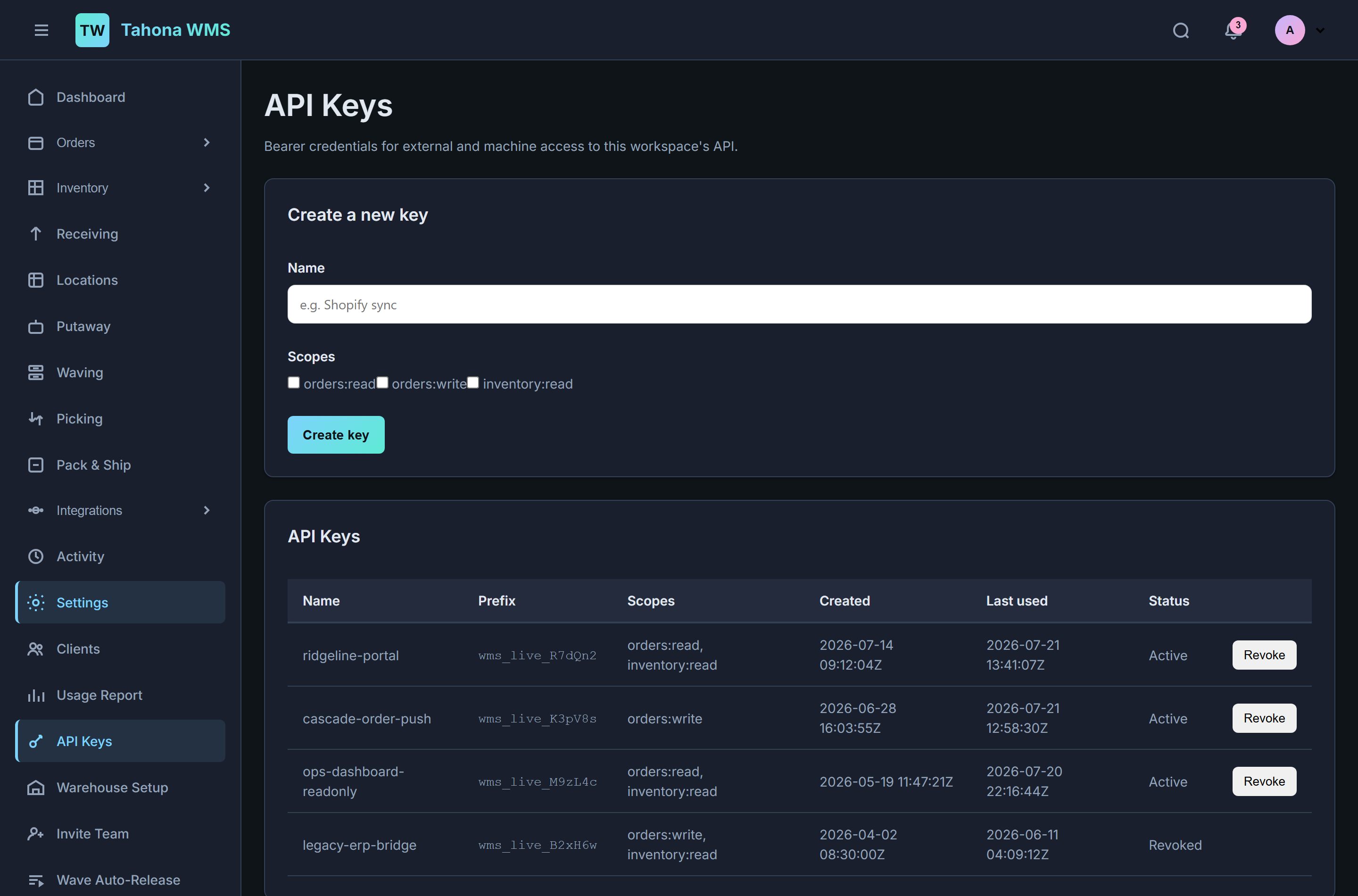
Scoped, per-workspace API keys and real REST endpoints — push orders in, read orders, inventory, and warehouses out. Build the integration nobody else was going to build for you.
Dock to doorstep, in one place.
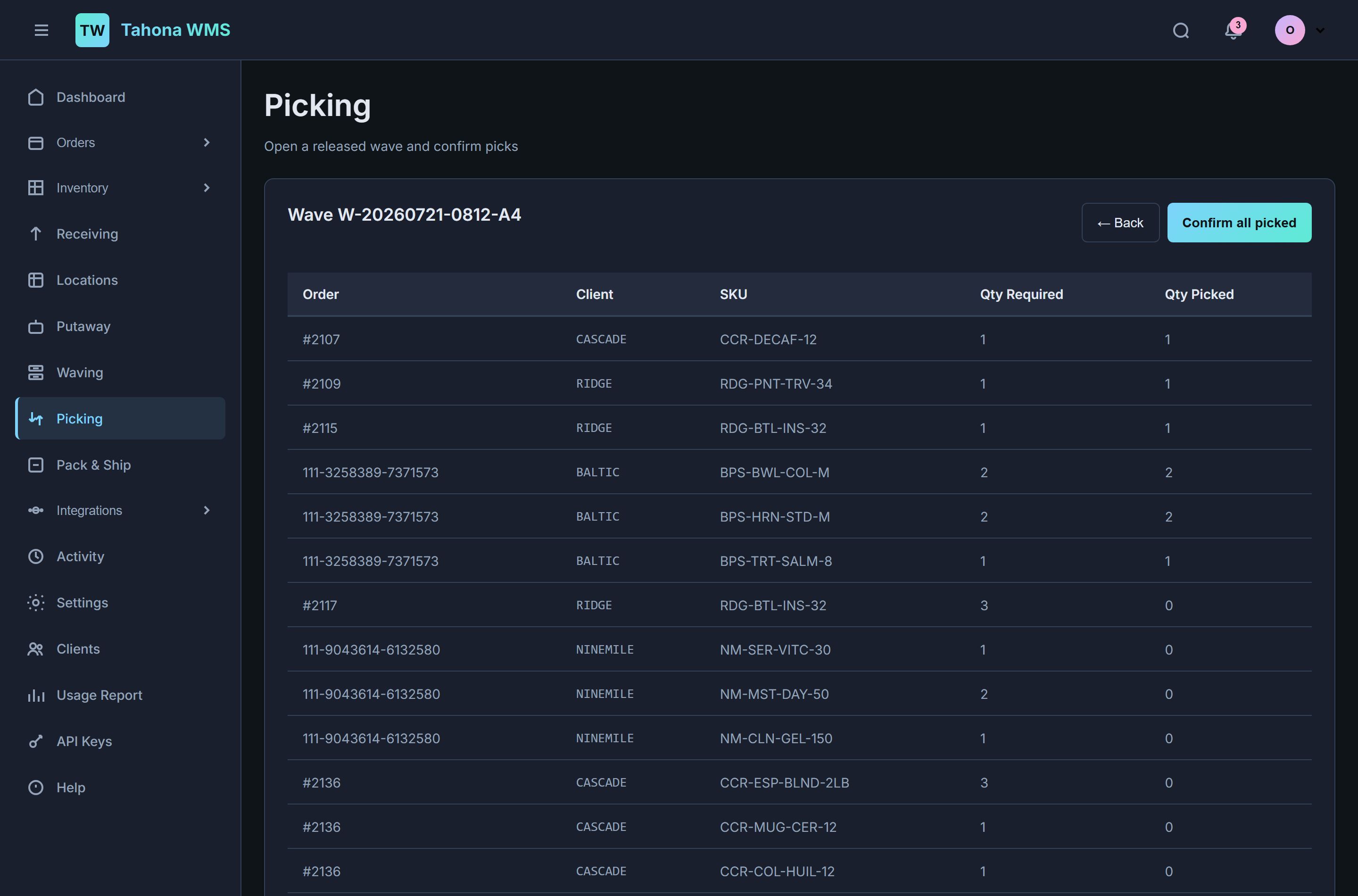
Order import → allocate → wave → pick → pack → ship, with label printing at the end. Pick-to-ship, pick-pack-ship, or pack-ship — whichever shape your floor actually runs. Receiving and putaway feed the same stock the allocator reserves against, so the numbers agree.
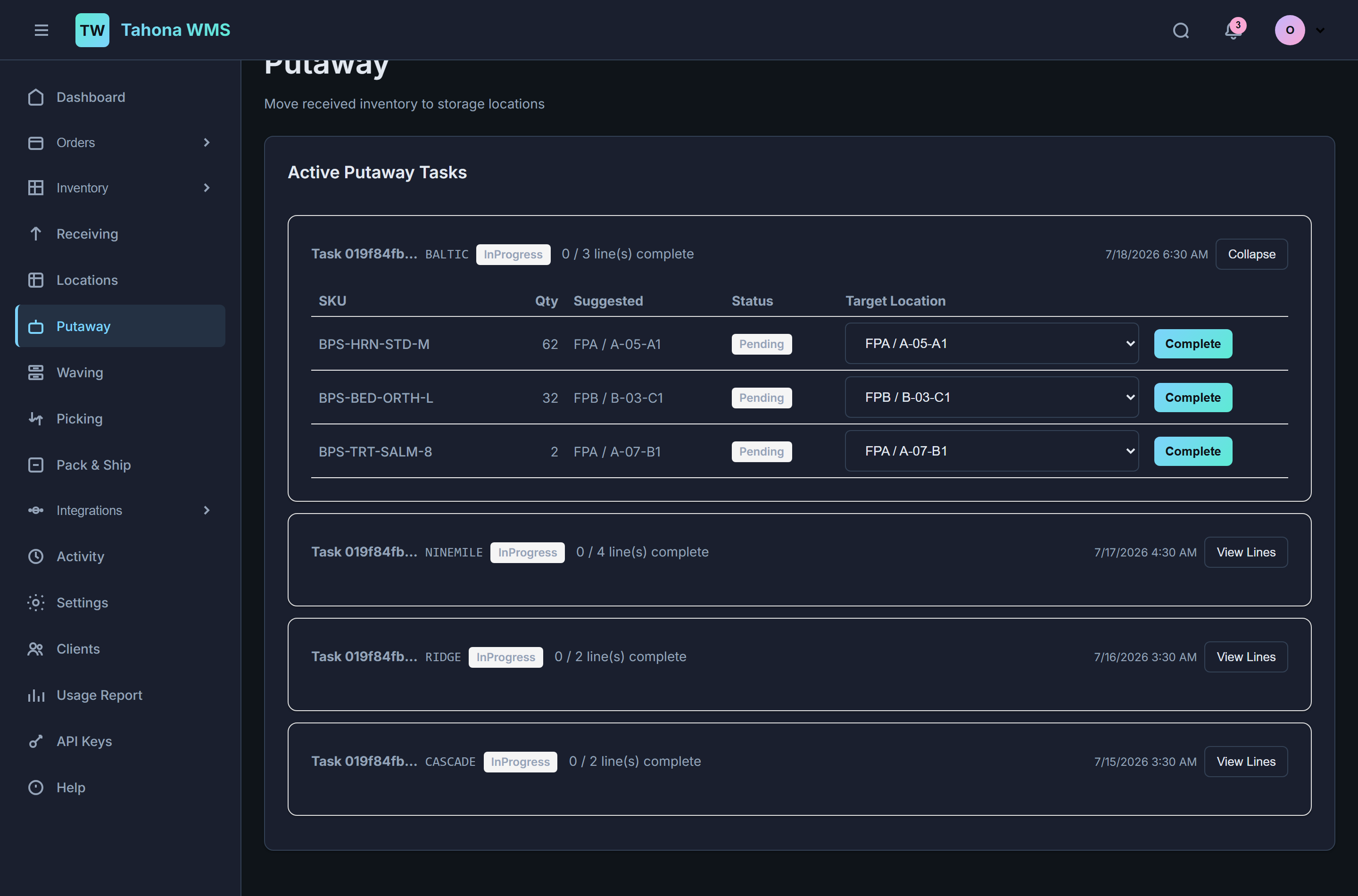
Your clients’ stock stays your clients’.
Turn on clients and every inventory item, order, receipt, and sales channel belongs to one of them. Stock is tracked per warehouse, per client, per SKU — so two clients selling the same SKU never draw down each other’s units. Client codes show up on documents and in the API, and every screen with a list gets a client filter.
Wired into the stack you already have.
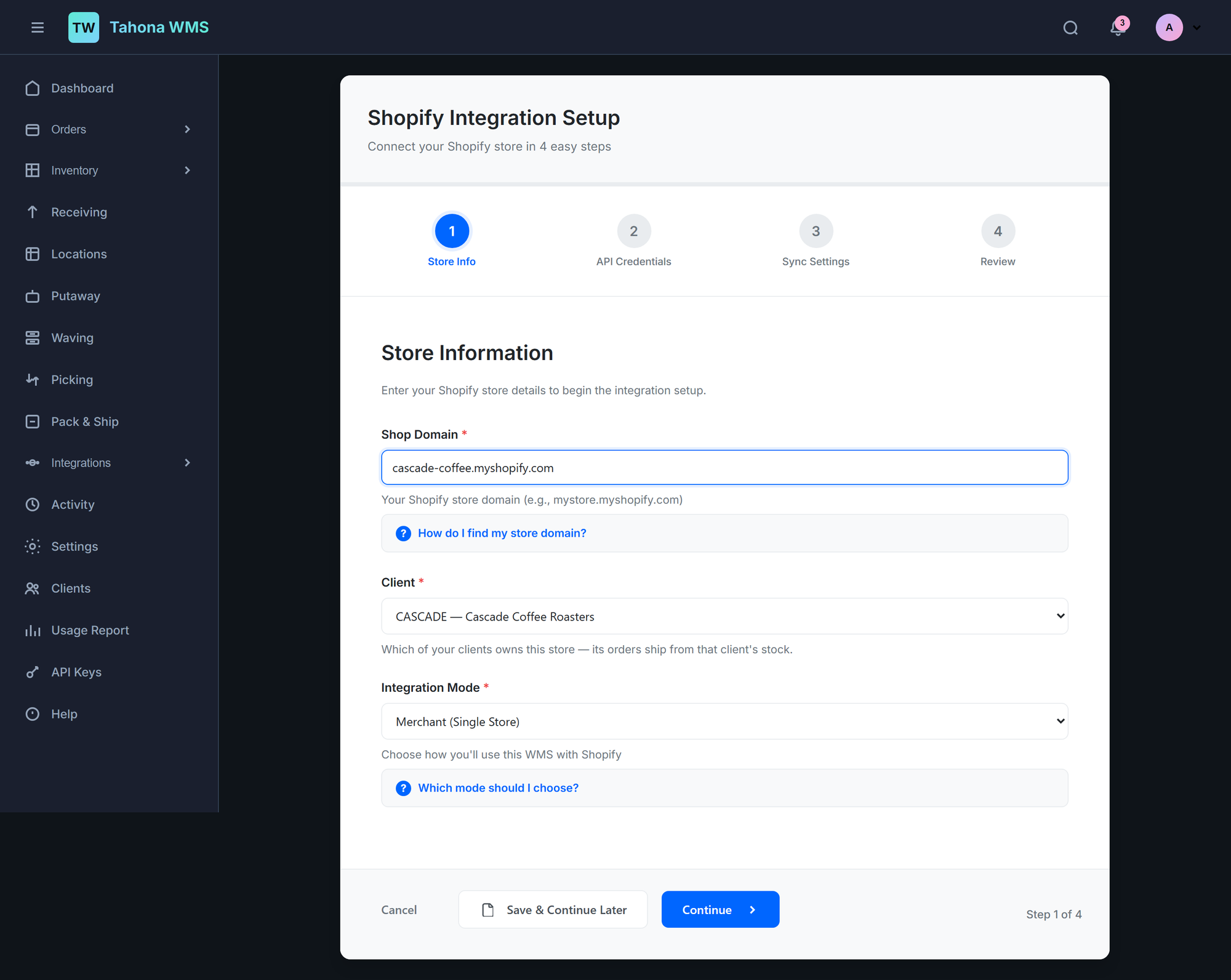
Channels, carriers, and printers are set up through guided wizards that test the connection before they save it — so you find out the token is wrong while you’re looking at the screen, not at 6am when orders didn’t import.
Shopify
- Four-step setup with a live credential test
- Order import, verified end to end against a real store
- Inventory sync and tracking push-back
- Auto-fulfill when a shipment ships
- Signed real-time webhooks, or scheduled sync
- Multiple stores per workspace
Amazon
- SP-API sales channel
- Multi-Channel Fulfillment (MCF)
- FBA status mirrored back into your order list
- Order cancellation handled both directions
Carriers & labels
- EasyPost integration — real label purchase, verified live
- Rate access and tracking
- Browser printing for shipping and item labels
- ZPL over the network for thermal printers
Your own code
- REST API with per-workspace bearer keys
- Scopes per key — read, write, or both
- Push orders in; read orders, inventory, warehouses
- Revoke a key without touching the others
The unglamorous parts, done.
Inventory
- Stock levels by bin location
- Adjustments with a reason
- Transfers between locations
- Cycle counts
- CSV import for the initial load
Warehouse structure
- Multiple warehouses per workspace
- Zones: receiving, forward pick, reserve, pack, staging
- Bin locations with type and capacity
- Every located record carries its warehouse
People & control
- Team invites with roles
- Guided setup wizards for warehouse, channels, printers
- Wave auto-release rules
- Admin console with TOTP two-factor
Accountability
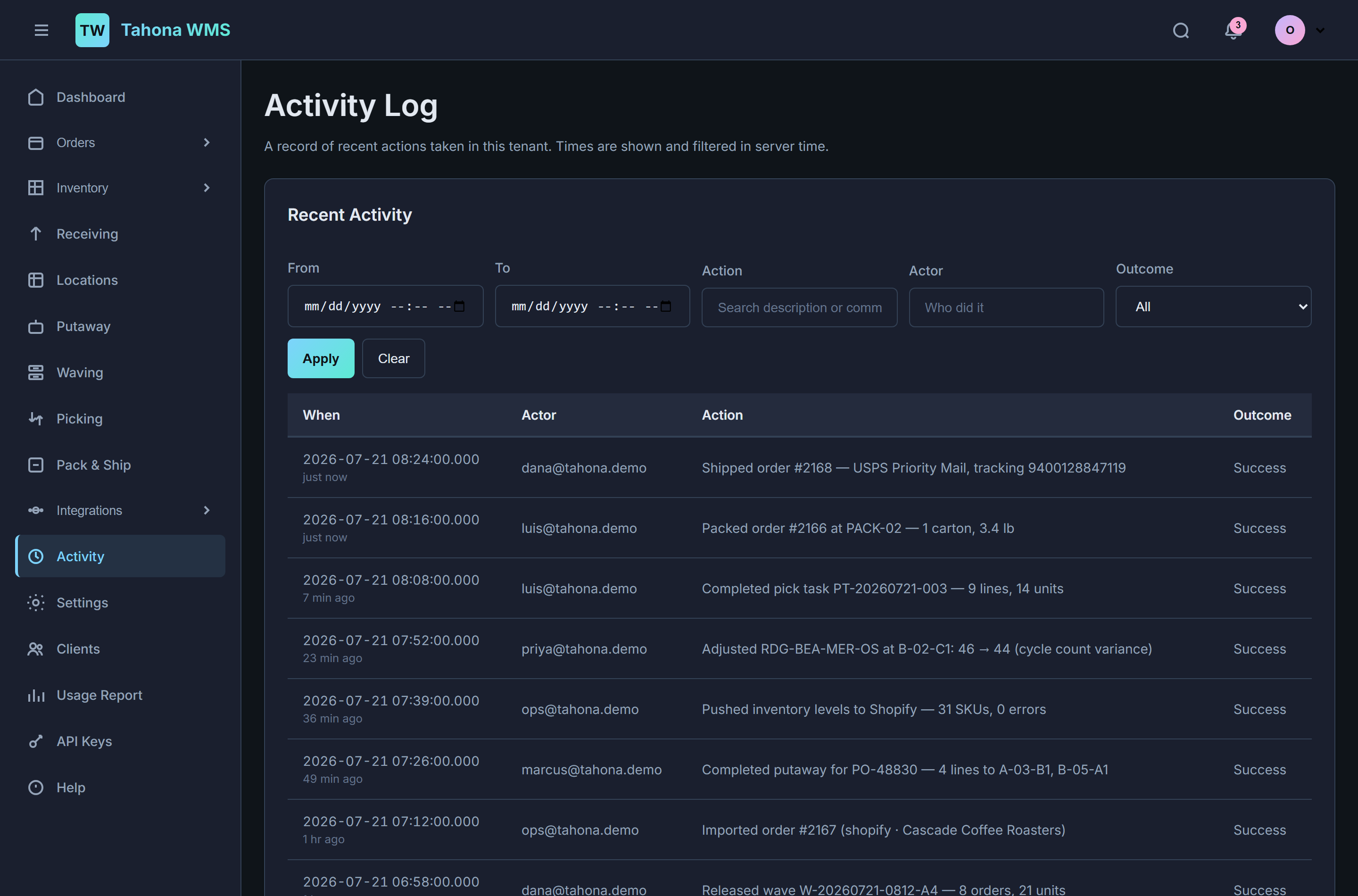
- Audit log of every action taken
- Who did it, when, and whether it succeeded
- Filter by actor, action, date, outcome
- API keys are actors too, not anonymous traffic
We’re looking for a few design partners.
Tahona is built and running. It is deployed, the fulfillment chain works end to end, real Shopify orders have been imported and real carrier labels have been bought. What it does not have yet is a wall of customer logos — and we’d rather say that plainly than invent one.
So this is the honest offer: a small number of pilot operations, worked with directly. Hands-on setup, your locations and SKUs loaded for you, a direct line to the people building it, and real influence over what gets built next. Pilot operations keep preferred pricing when we launch.
Tell us about your operation — how many orders a day, how many buildings, which channels you sell on, and whether the stock is yours or your clients’. That’s enough for us to say honestly whether Tahona fits yet.
Write to us about the pilotScreens on this page are the real product, filled with demonstration data — the SKUs, client brands, and customer names are invented for the screenshots.